

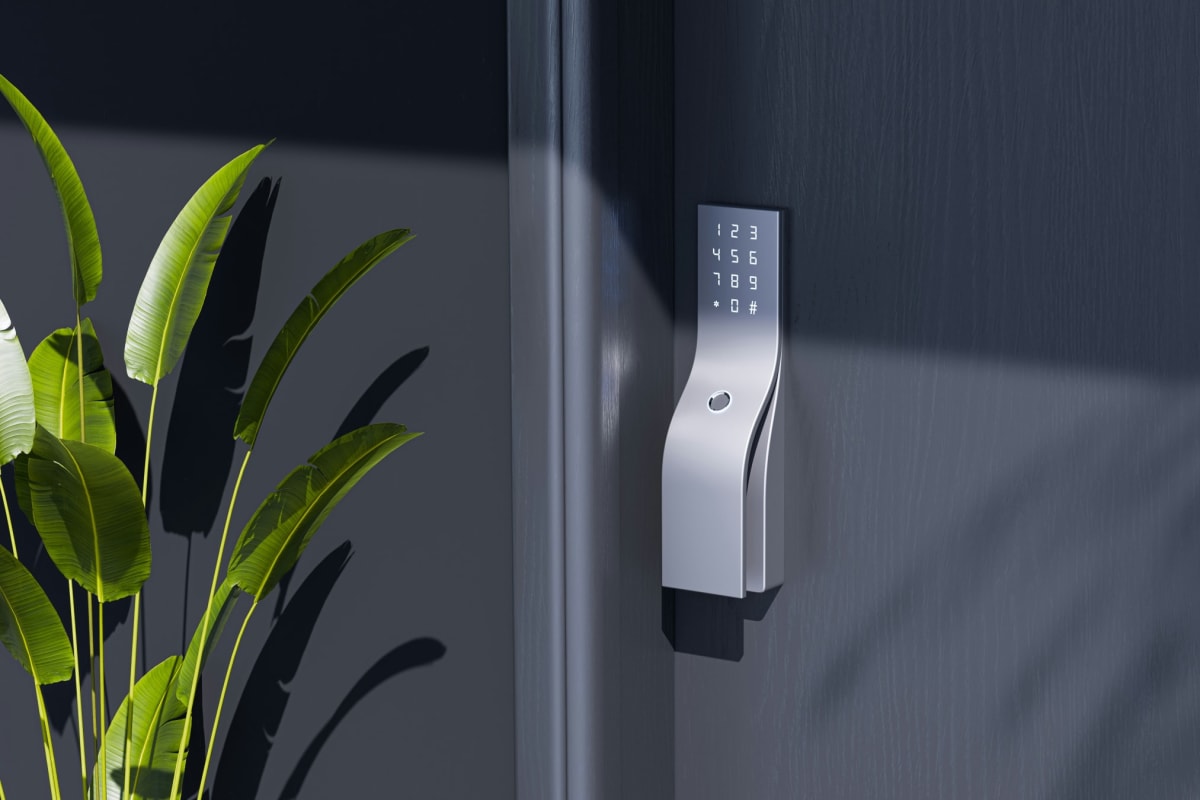
A Yale smart lock swaps the keyed deadbolt on your front door for a keypad, fingerprint reader or phone, with entry codes you set and share yourself. It’s built for homeowners securing front doors, interior doors, cabinets and package deliveries. The reason to buy is that Yale has been making locks for more than 180 years, since Linus Yale Sr. gave the world the pin-tumbler cylinder, and now one Yale Access app runs the front door, the safe and the delivery box and shows who unlocked what and when.
Yale traces its lock-making back to 1840, and its first product was the Yale lock invented by Linus Yale Sr. Its best-known design is the cylinder pin-tumbler lock. The business started in Connecticut, and since 2023 the residential Yale brand in the United States and Canada has belonged to Fortune Brands Innovations, headquartered in Deerfield, Illinois.
Keyed or key-free on the front door
Every Assure Lock 2 front-door lock is a deadbolt, so the first choice is whether a key cylinder stays on the outside. A keyed entry deadbolt keeps a key as your backup way in. A key-free deadbolt has no keyhole on the outside at all, and you get in by keypad, fingerprint, phone or Apple Home Key. On a busy family front door, go keyed. On a door where too many keys have been handed out over the years, go key-free.
The Assure Lock 2 is the plain keypad version, the Assure Lock 2 Touch adds the fingerprint reader for a door where punching a code in mittens gets old fast, and the Assure Lock 2 Plus opens with Apple Home Key from an iPhone or Apple Watch. For a house that runs on Google Home, the Yale Smart Lock with Matter or the Nest x Yale Lock is the one to pick.
When the batteries die or the code slips your mind
If the batteries run out, hold a 9V battery to the lock to power it for the moment, enter your code, then go inside and replace the batteries. If you’ve forgotten the code or left your phone behind, the included key is the backup way in, which is the best reason to put a keyed model on the door you use every day. Humidity, extreme temperatures and big temperature swings all shorten battery life, and a Montana front door sees all three between a July afternoon and a January night at twenty below, so put fresh batteries in every fall and swap them at the first low-battery warning. Use alkaline batteries: lithium cells disable the battery-life indicator and can die without warning, leaving the lock disabled.

One app for codes and access history
The Yale Access app is where you set codes, share access with family, a dog walker or a contractor, and see who unlocked the door and when. Give each person their own code, so when a job’s finished you delete one code and nobody else has to learn a new number.
Bluetooth talks to your phone, and Yale’s Wi-Fi module adds remote access and app management. Yale also offers a Z-Wave 800 series module with long-range support and SmartStart, and a Zigbee module that works with apps from the big smart-home partners. Z-Wave needs a compatible hub, so it’s the right call only in a house that already runs one. Yale’s newest smart lock has Matter built in and is designed for Google Home, and Yale Wi-Fi locks tie into ecobee Smart Security. Match the connection to what already runs the house: Matter for Google Home, Wi-Fi for ecobee, Z-Wave for an existing Z-Wave hub.
Installing an Assure Lock 2
An Assure Lock 2 goes into the same bore as a standard deadbolt, so on most front doors it’s a screwdriver job. Before you pull the old lock, measure the backset and door thickness, and check that the old bolt slides into the strike without lifting or pushing the door. A motorized bolt dragging on a misaligned strike works harder on every cycle and runs the batteries down, so fix the strike first.

Smart storage on the same app
Yale’s smart storage line puts a safe, a cabinet lock and a package box on the same Yale Access app as the door. With the Yale Connect Wi-Fi Bridge, you lock and unlock each one remotely, share access with family or friends, see 24/7 access history, get a notification whenever it’s opened and check battery life. Add a Yale Keypad and any of them opens with an entry code.
The Smart Delivery Box sits on the porch, in front of the garage or wherever packages land, and takes packages and perishables such as food, wine, cosmetics and medicine. The app tells you when a delivery arrives. Weight it down with sand or tether it to the porch so nobody carries off the whole box.
The Smart Cabinet Lock goes inside a cabinet or drawer to keep cleaning supplies, medicine and liquor away from kids. It mounts to the interior base or roof with the included 3M adhesive, or with screws for a permanent install. On a drawer a child will pull on, use the screws.
The Smart Safe opens with a keypad code you set and comes with a removable shelf, 4 AA batteries and a physical key. It can stand anywhere, but mount it to the floor or wall so it can’t be carried out.
Assure Lock for Andersen patio doors
For an Andersen hinged or folding patio door, Yale makes an Assure Lock that matches the front door and runs in the same app, with Auto-Unlock by geofence. It works the door’s multipoint lock, so when it unlocks, the two hooks and the center deadbolt all let go together, and VeriLock tells the app whether the door is actually locked. It holds 25 entry codes on its own, 250 with the Z-Wave module and unlimited with the Wi-Fi module, and runs about a year on 4 AA batteries with a 9V backup.
Yale smart lock specs
| Deadbolt configuration | Connection | Finishes |
|---|---|---|
| Keyed entry | Wi-Fi and Bluetooth | Black Suede, Lifetime Brass |
| Key-free entry, fingerprint | Wi-Fi | Black Suede, Lifetime Brass, Oil Rubbed Bronze, Satin Nickel |
| Key-free entry, Apple Home Key | Wi-Fi | Black Suede, Oil Rubbed Bronze, Satin Nickel |
| Key-free entry | Bluetooth Smart | Black Suede, Oil Rubbed Bronze, Satin Nickel |
Frequently Asked Questions
How do I change the code on my Yale door lock?
On a connected Yale lock you change, add or delete codes in the Yale Access app, and if you’re resetting a code someone else knows, delete their old one instead of just adding a new one. Always test a new code at the keypad with the door standing open before you shut it behind you. Keep the physical key or a 9V battery somewhere outside the house until you know the new code works.
How do I install a Yale Assure Lock 2?
It fits the same bore as a standard deadbolt, so measure the backset and door thickness, pull the old deadbolt and mount the Assure Lock 2 with a screwdriver. Then pair it in the Yale Access app and run the bolt a dozen times with the door open, then a dozen with it closed. If the bolt hesitates or stalls only when the door is shut, the strike or weatherstrip is binding, so adjust it before you trust the lock. Doors shift with the seasons, so check the bolt again after the first hard cold snap.
What does the Yale Connect Wi-Fi Bridge do?
The bridge lets you use the Yale Access app to lock, unlock and grant access to the safe, cabinet lock and delivery box when you’re away from home, not just when you’re standing next to them. Without it, the Smart Safe still opens at its own keypad with the code you set, and the included key still works as a backup. Plug the bridge into an outlet close to whatever it controls so the connection stays reliable.
Ready to Get Started?
Our cabinet specialists can help you find the right Yale products for your project.